what it is
Grimoire is a cozy little writing desk for your novel, and it lives right in your
terminal. It understands how a book comes together, from parts and chapters down to
scenes and word goals, and it keeps every word you write in plain files you can open
with anything, even cat.
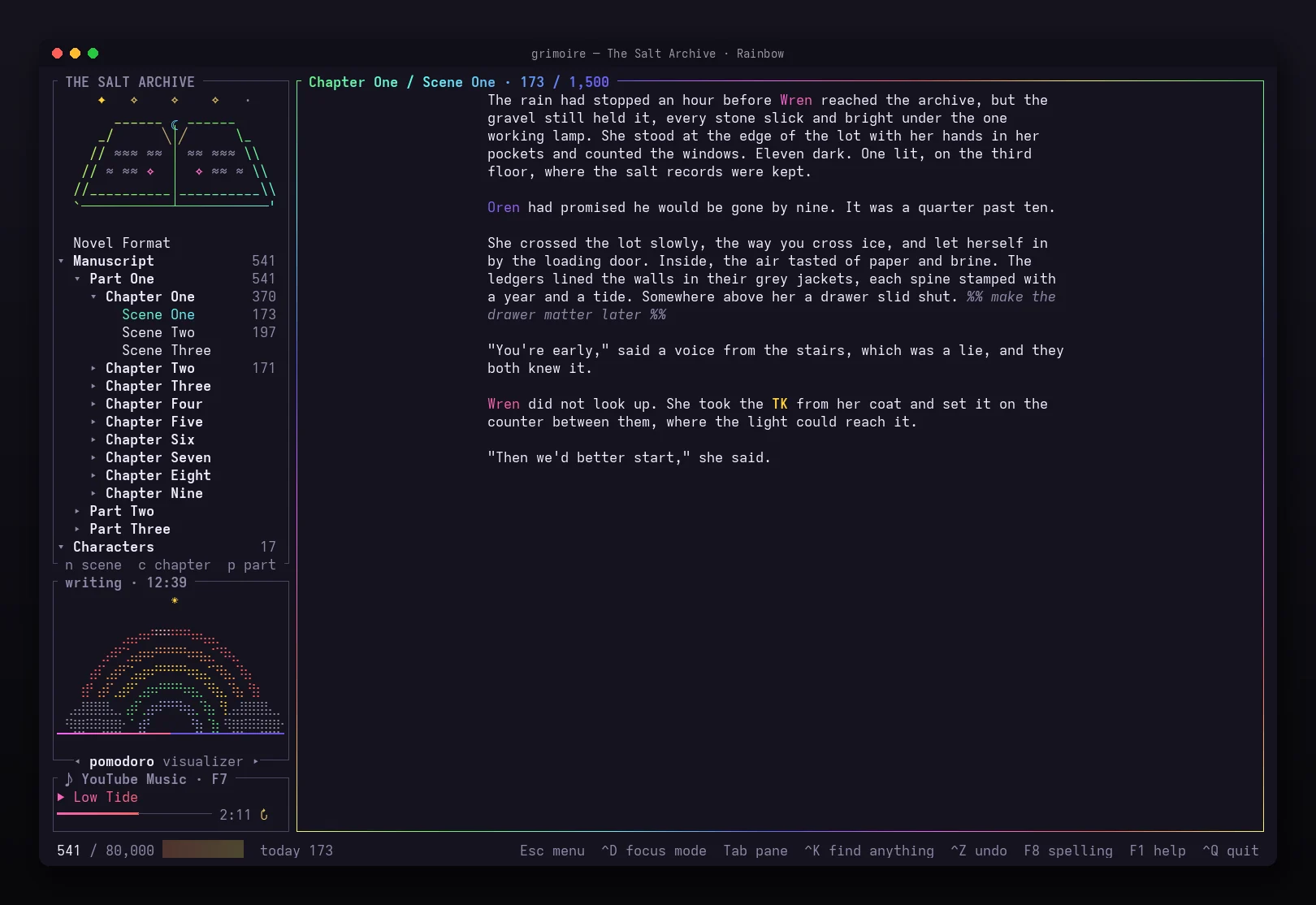

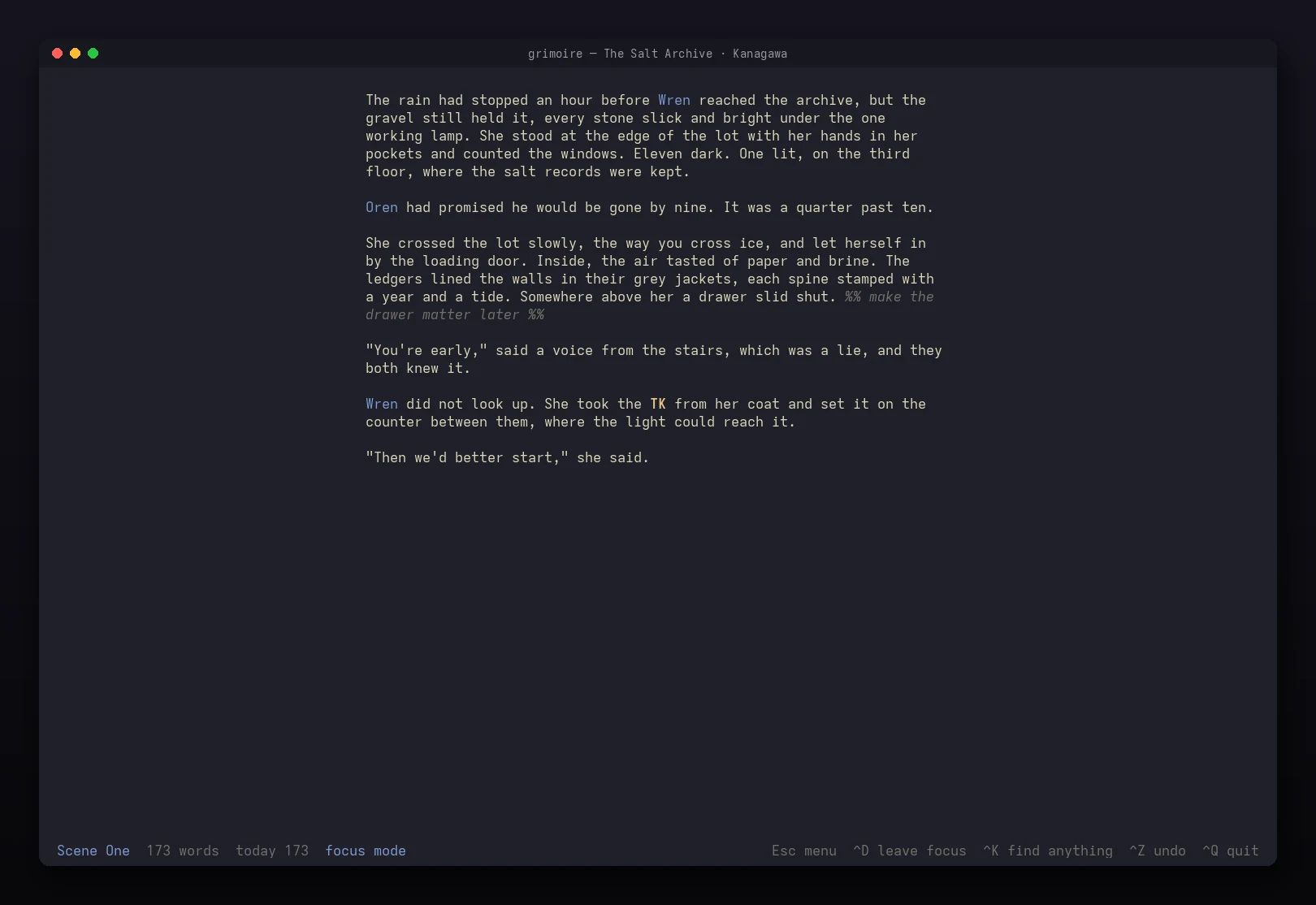
Nineteen themes, and you can change them any time — F9 in the app. Try them on this page: press t, or .
Already have a draft? Grimoire brings in a Word file, Markdown or plain text and splits it into chapters and scenes for you, italics and all. Every word comes across.
When the book is done it compiles a submission manuscript in standard format, a print-ready paperback and an EPUB — and while you write it keeps the book safe in whatever syncs it: Dropbox, Google Drive, pCloud, Box.
Rust and Ratatui. One binary. macOS, Linux and Windows. Made by Catfinity Studios, the makers of Catfinity, an idle cat RPG for iPhone and Android.
why
Most novel apps make you pick. Some tuck your manuscript away in a database you can't open without them. Others are lovely text editors that have no idea what a chapter is.
Grimoire wanted both: an app that understands your book, and files that stay yours. So your folders are your outline. There's no hidden index, which means there's nothing for two computers to squabble over when your book syncs. Moving a scene is just renaming a file, and backing up is just copying a folder.
And if Grimoire ever disappears, your book doesn't. That promise came first, and everything else was built around it. It's why nothing is ever really deleted, too: there's autosave, recovery, history for every scene, and a trash you can undo from.
Each scene file can carry a few details at the top, like its title and status. Grimoire only reads what it needs and never rewrites the rest, so any other app you open your book in can keep its own notes there too.
on disk
Folders are containers, at any depth. Files are scenes. Order comes from the name.
the-salt-archive/
├─ novel.toml                    title, targets, your details
├─ manuscript/
│  └─ 01-Part-One/
│     ├─ 01-Chapter-One/
│     │  ├─ 01-Scene-One.md          a scene
│     │  └─ 02-Scene-Two.md
│     └─ 02-Chapter-Two/ …
├─ characters/wren.md            the notebook
├─ places/  notes/  research/
├─ front-matter/  back-matter/    by edition
└─ .grimoire/                    history, recovery, trash
A leading 01- orders the file and is stripped for display.
---
title: Scene One
pov: Wren
status: draft
synopsis: Wren comes back to the archive at night.
target: 1500
---
the desk
| Esc | the menu: a short list, everything else one step down, and every row says what it does |
| F1 · ? | the help — every feature explained, opened where you are |
| Ctrl-K | find anything: actions, scenes, notes, themes |
| Esc › New book | start a whole new book, name it, and you're in |
| Tab | switch pane |
| n · c · p | new scene · chapter · part, named and placed for you |
| r · d | rename · delete (to the trash, and undoable) |
| Ctrl-D | focus mode — just the prose, centred |
| Ctrl-T | every %% note %% and TK in the book |
| v | another scene beside this one, read-only |
| F8 | spelling — or click the underlined word |
| Ctrl-Z · Ctrl-Y | undo · redo, in the prose and in the tree |
| F9 | themes — nineteen, each with its own world, or make your own |
| F2 | the Pomodoro timer |
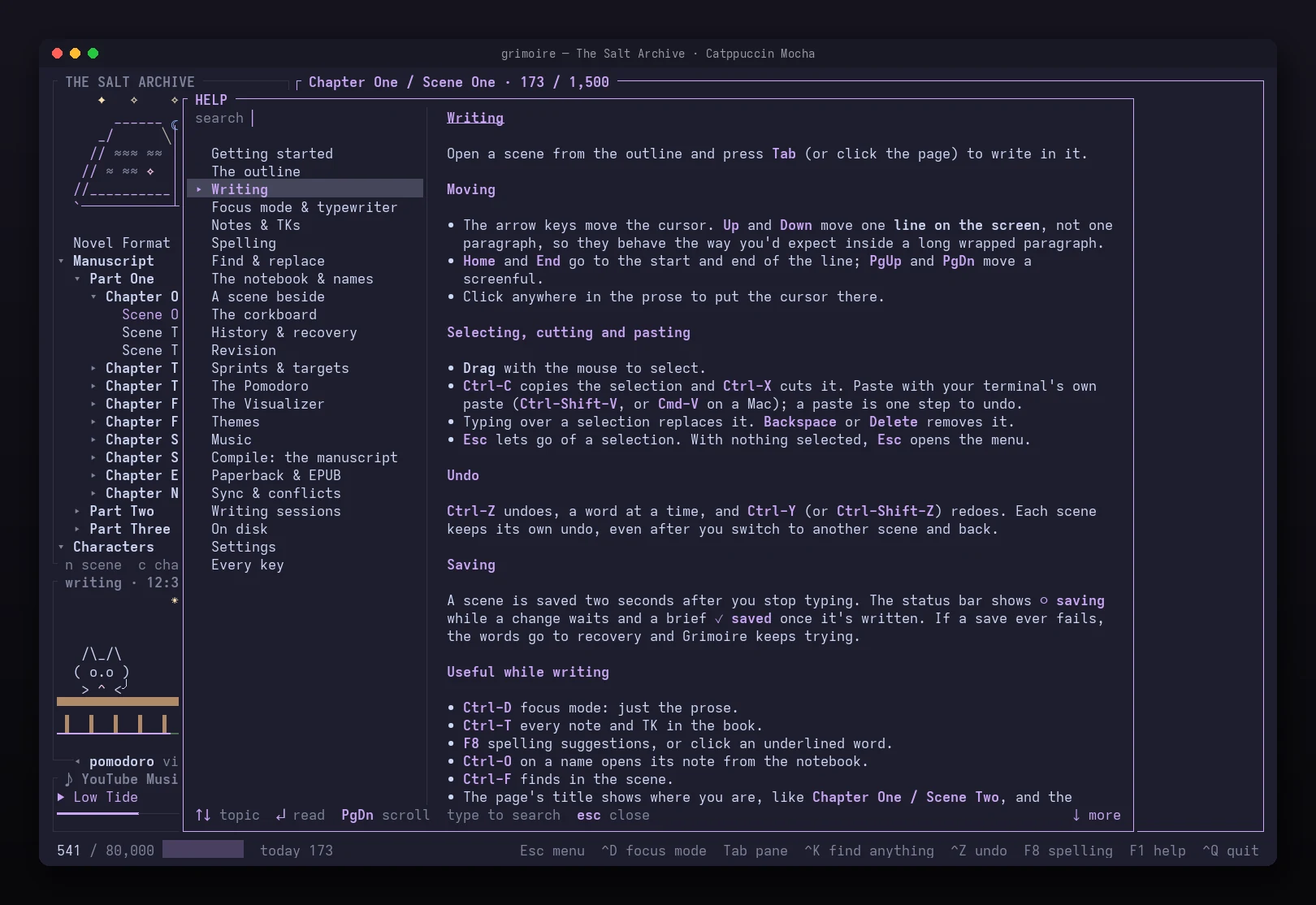
Every feature is explained inside, too: F1 opens the help on the topic
for wherever you are, and typing searches all of it.
Read aloud reads your scene back to you, a sentence at a time, each one highlighted as it's read. Hearing prose catches what the eye skips. It uses a natural Piper voice if you have one, or your computer's own, and nothing leaves your computer.
Click the word count at the bottom left for Progress: your words each week, your pace lately, and roughly when you'll reach your goal. It's there to cheer you on. No streaks, no days in a row, and a quiet week is just a short bar.
Notes between %% marks and TK placeholders never reach the
book or the word count. Vertical movement is visual, not logical:
Down moves one screen row inside a wrapped paragraph, which is the only behaviour
that feels right for prose.
compile
Export compiles a submission manuscript in William Shunn's standard manuscript format.
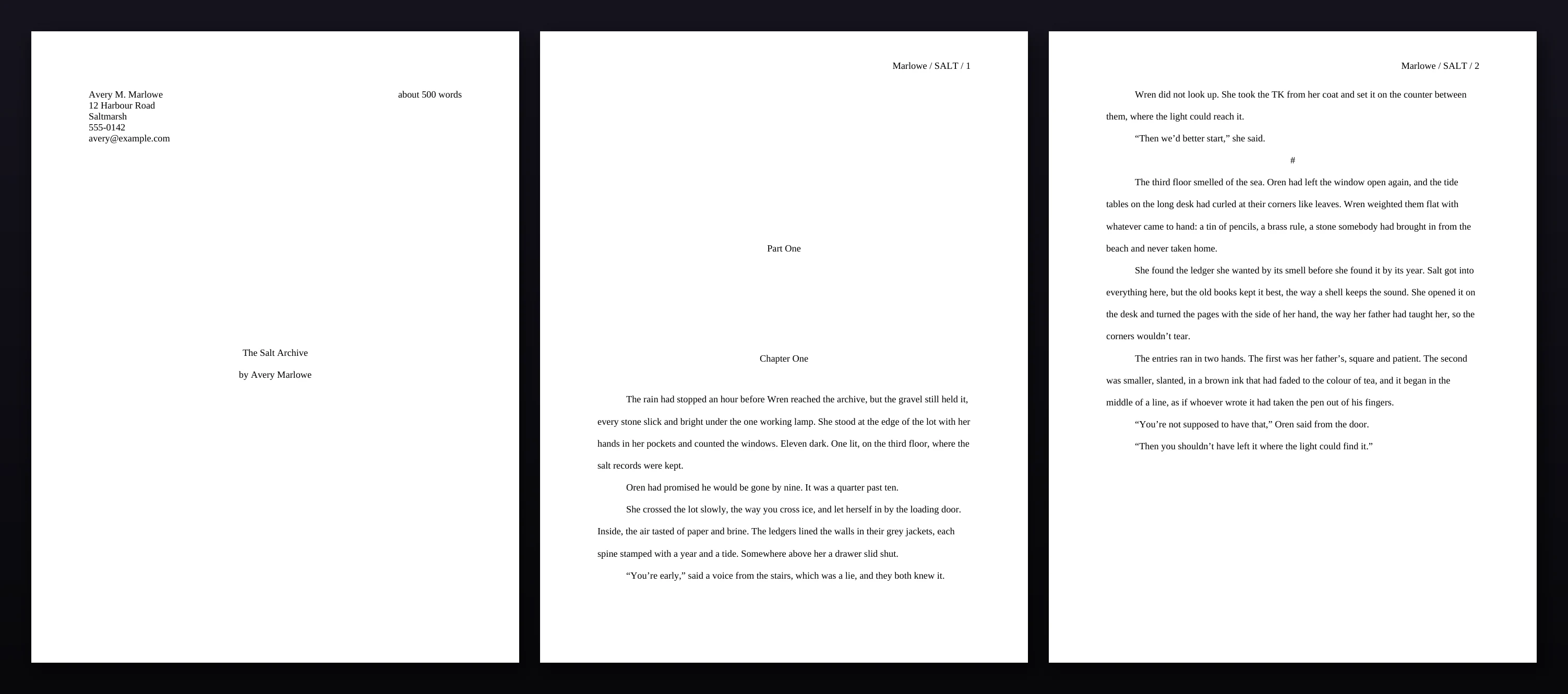
- your contact block, byline and a rounded word count on the title page
- Surname / KEYWORD / page on every page after it
- chapters a third of the way down, a centred # between scenes, END
- curly quotes and real dashes — your files are left as you typed them
- samples an agent asks for: chapters 1–3, or the first N words
- Times or Courier, Letter or A4, and a PDF through LibreOffice
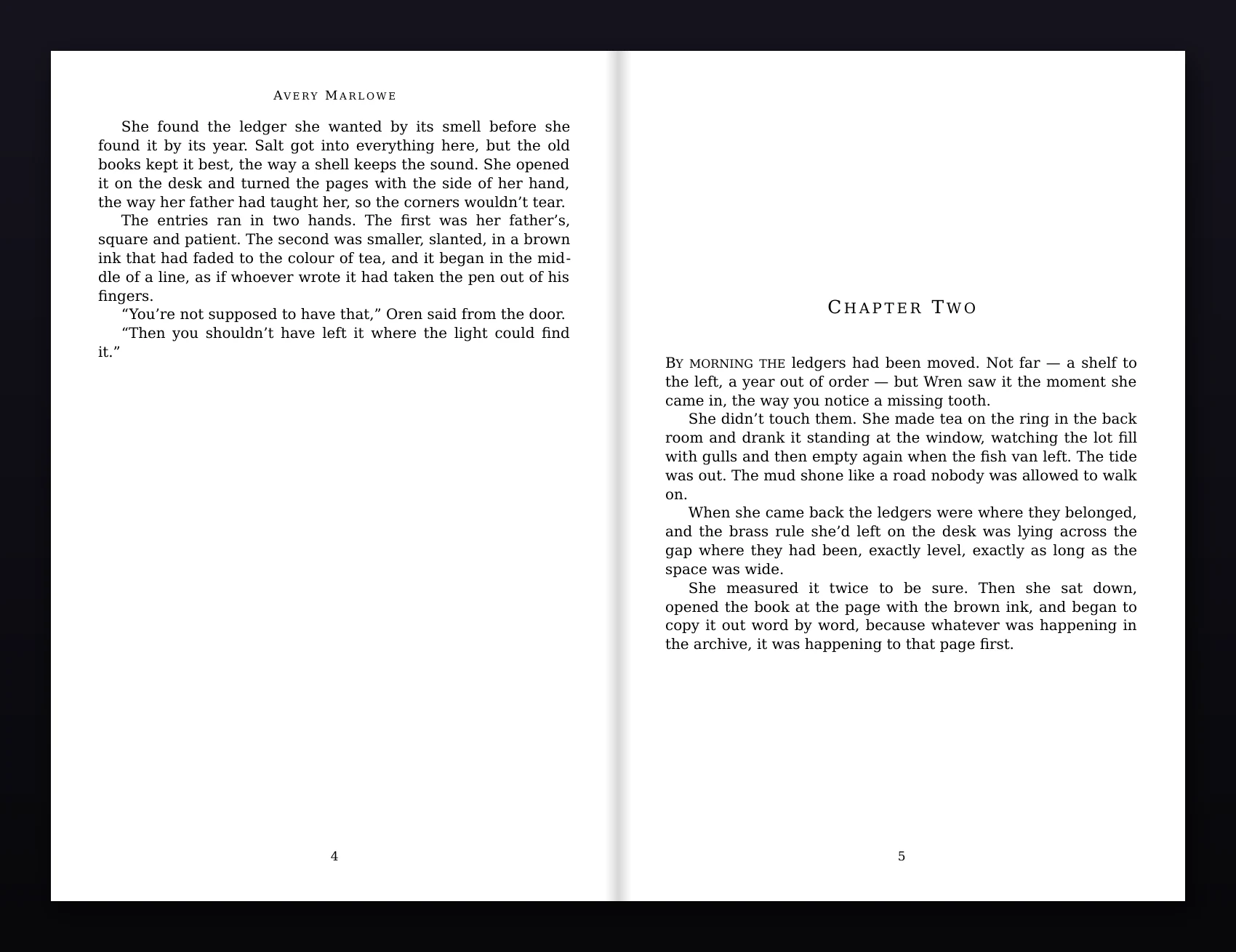
The same book compiles as a paperback — mirrored margins with the gutter KDP asks for, running heads, chapters on the right-hand page, justified and hyphenated — and as an EPUB with a cover, contents and metadata.
Empty scenes and chapters are left out, and every TK is listed before anything is written.
sync
A book is a folder, so any sync service carries it. Grimoire makes sure none of them can lose your words.
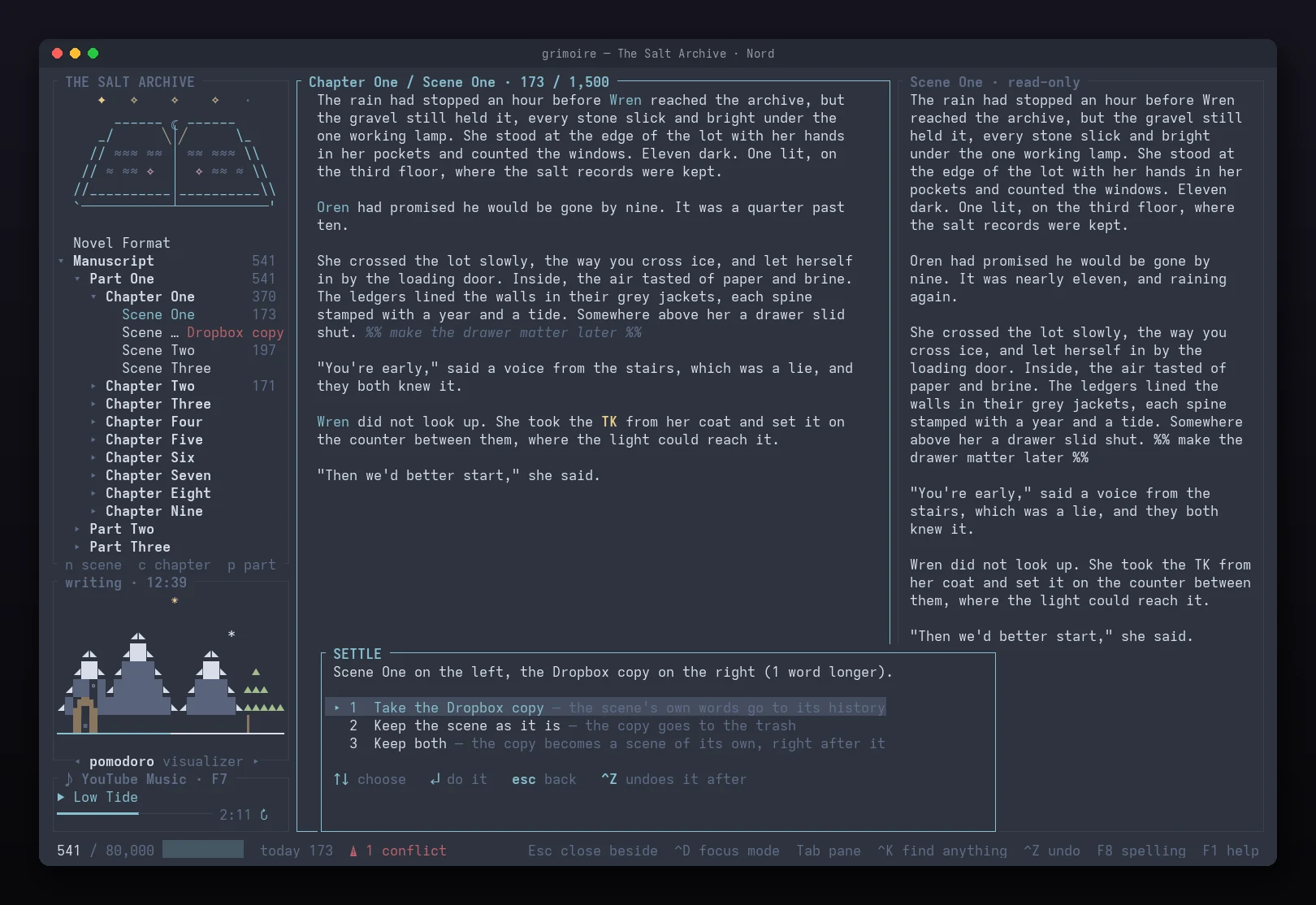
- Nothing is written over. Every save checks the file first; a change from elsewhere is kept beside the scene.
- Conflict copies from Dropbox, pCloud, Google Drive, Box, OneDrive, iCloud and Syncthing are recognised, never counted or exported twice, and settled side by side.
- A file that isn't downloaded yet shows as offline and is never saved over.
- Names are safe on every service and system, and writing history lives outside the synced folder.
Checked against each service's documented behaviour, and on a real pCloud Drive.
themes
Nineteen themes, and you can switch any time with F9 — the picker previews each one as you move through it. This page switches too; try one:
Each theme brings its own world to the pane under the outline. The Pomodoro is the timer — the sun's position is the clock, and break time is night.
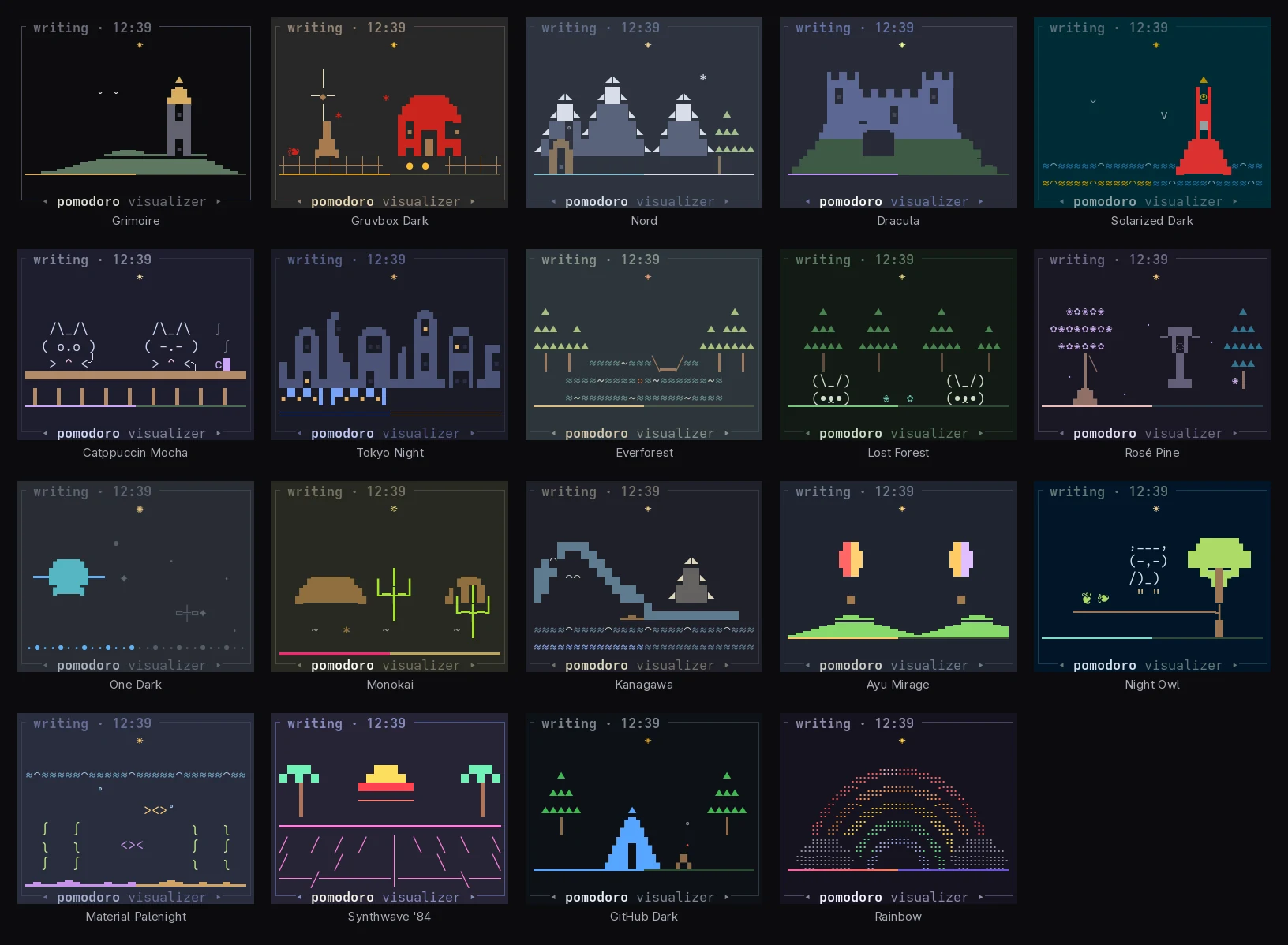
→ turns it into the Visualizer: a spectrum of whatever the
computer is playing, drawn in the theme's own style, with the song's name on it.
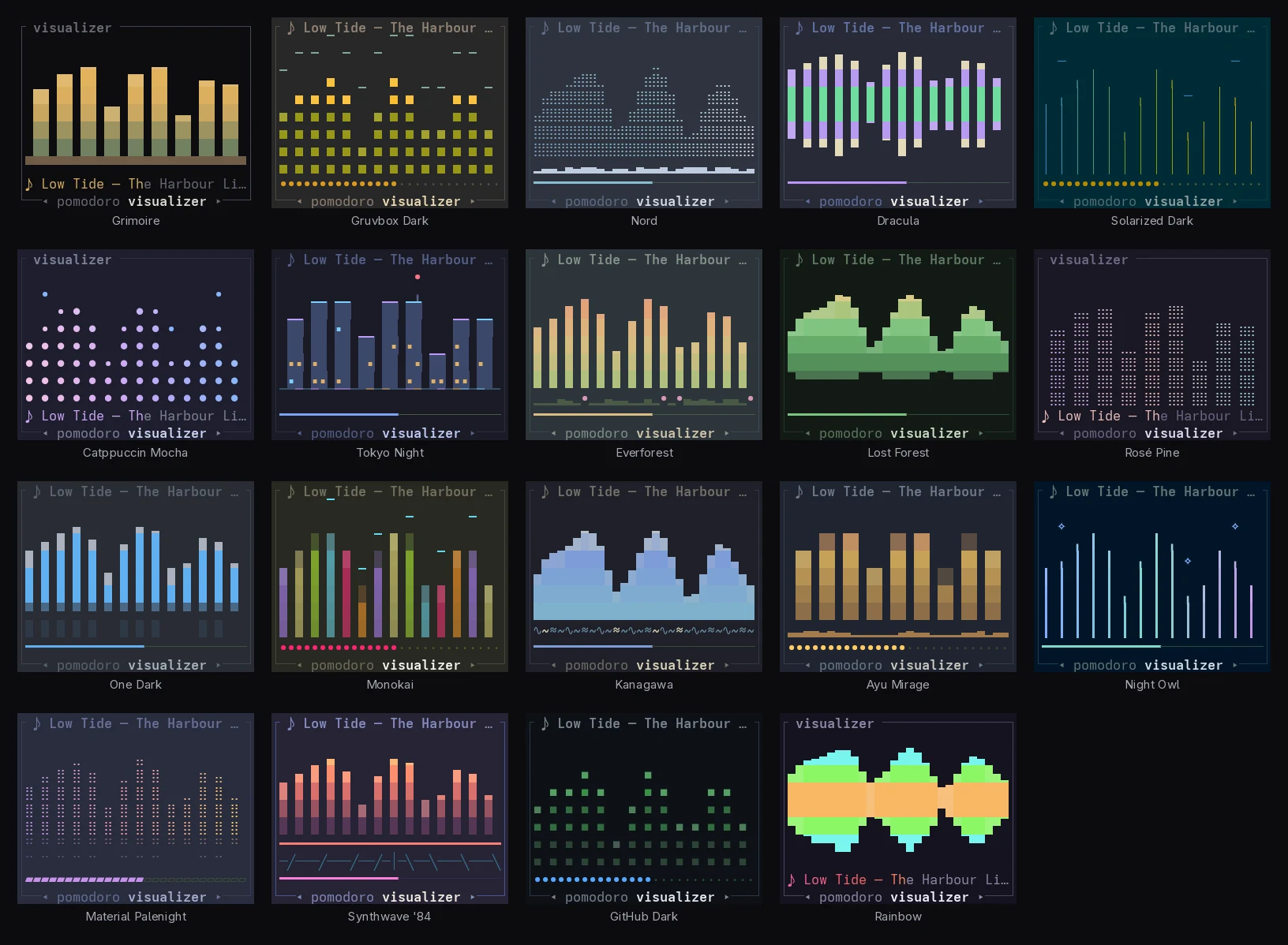
Rainbow's colours flow round the wheel every twelve seconds. A custom theme mixes and matches: any theme's world with any theme's Visualizer.
music
Music is off until you turn it on. Four sources:
| YouTube Music | drives th-ch's desktop app through its API server — queue, search, your playlists |
| Spotify | drives the desktop app (macOS and Linux) |
| Jellyfin | Grimoire plays it — your files, your server |
| Plex | Grimoire plays it — your files, your server |
┌ ♪ YouTube Music · F7 ──────┐
│▶ Low Tide                  │
│━━━━━━━━─────────── 2:11 ↻ │
└ [ prev · space ⏯ · ] next ─┘
Grimoire never extracts streams from YouTube Music or Spotify: it presses the buttons of the app you already pay for.
install
macOS and Linux:
curl --proto '=https' --tlsv1.2 -LsSf https://github.com/kelsierbot/GrimoireTUI/releases/latest/download/grimoire-tui-installer.sh | sh
Windows (PowerShell):
powershell -ExecutionPolicy Bypass -c "irm https://github.com/kelsierbot/GrimoireTUI/releases/latest/download/grimoire-tui-installer.ps1 | iex"
Or with Homebrew:
brew tap kelsierbot/tap brew trust kelsierbot/tap brew install grimoire
Debian and Ubuntu, as a package (handy for a school lab):
curl -LO https://github.com/kelsierbot/GrimoireTUI/releases/latest/download/grimoire_amd64.deb sudo apt install ./grimoire_amd64.deb
Fedora:
sudo dnf install https://github.com/kelsierbot/GrimoireTUI/releases/latest/download/grimoire.x86_64.rpm
On ARM, it's grimoire_arm64.deb and grimoire.aarch64.rpm.
Then open a new terminal and run grimoire. No Rust, no build tools.
From source: cargo install --path . in a clone of
the repo.
Linux needs glibc 2.35+ and ALSA's audio library, which every desktop distro already has. PDFs need LibreOffice.
teach & learn
A Week with Grimoire is a free, five-day curriculum that takes a class from "what's a terminal?" to a finished short story in a real manuscript.
- the teacher guide: setup, a minute-by-minute plan for each day, what to say, what tends to go wrong, exit tickets and a rubric
- the student workbook: a handout for every day, a key card, a story planner, scene cards and a certificate
Every page prints neatly as a handout. It's free to use, copy and adapt, and you never have to pay for it; if it helps your class, a donation is appreciated.
donate
Grimoire is free, and a donation is never required. It's always appreciated, though, and it all goes toward Grimoire's development.

In the app it's Esc › Help & about › Donate…. Thank you for writing with it.
Another way to help: Grimoire comes from Catfinity Studios, and we also make Catfinity, a cozy idle cat RPG. It's free on iPhone and Android, and your cats would love the company.
license
Grimoire is free and open source, under the MIT License. Here's what that means in plain words:
- Use it for anything, commercial work included. Write with it, sell what you write, use it at your day job, or build it into something you sell. All of that is welcome.
- Credit is required. If you share Grimoire, or ship something built on its code, keep its copyright notice and license with it, so folks can see where it came from.
- Your books are yours. Everything you write in Grimoire belongs to you, and it never has to mention Grimoire.
- A donation is appreciated, never required. If Grimoire has helped you and you'd like to give something back, there's Ko-fi. It all goes toward Grimoire's development.
In the app it's l in About Grimoire…, or Ctrl-K › License. Copyright (c) 2026 Josh King.
status
v0.5 — written in daily. Outlining, writing, notes, history, sync safety, and compiling for agents, print and e-readers are all here.
Not yet:
- the phone app — running on Android, not released
- spellcheck in languages other than English
- Spotify on Windows
MIT License. Issues and patches welcome at the repo.